Day 27 Task: Jenkins Declarative Pipeline with Docker
Day 27 of 90daysdevops

Packaged App Development Associate @ Accenture | Infrastructure Engineering | Exploring Cloud & Security
Day 26 was all about a Declarative pipeline, now its time to level up things, let's integrate Docker and your Jenkins declarative pipeline
Use your Docker Build and Run Knowledge
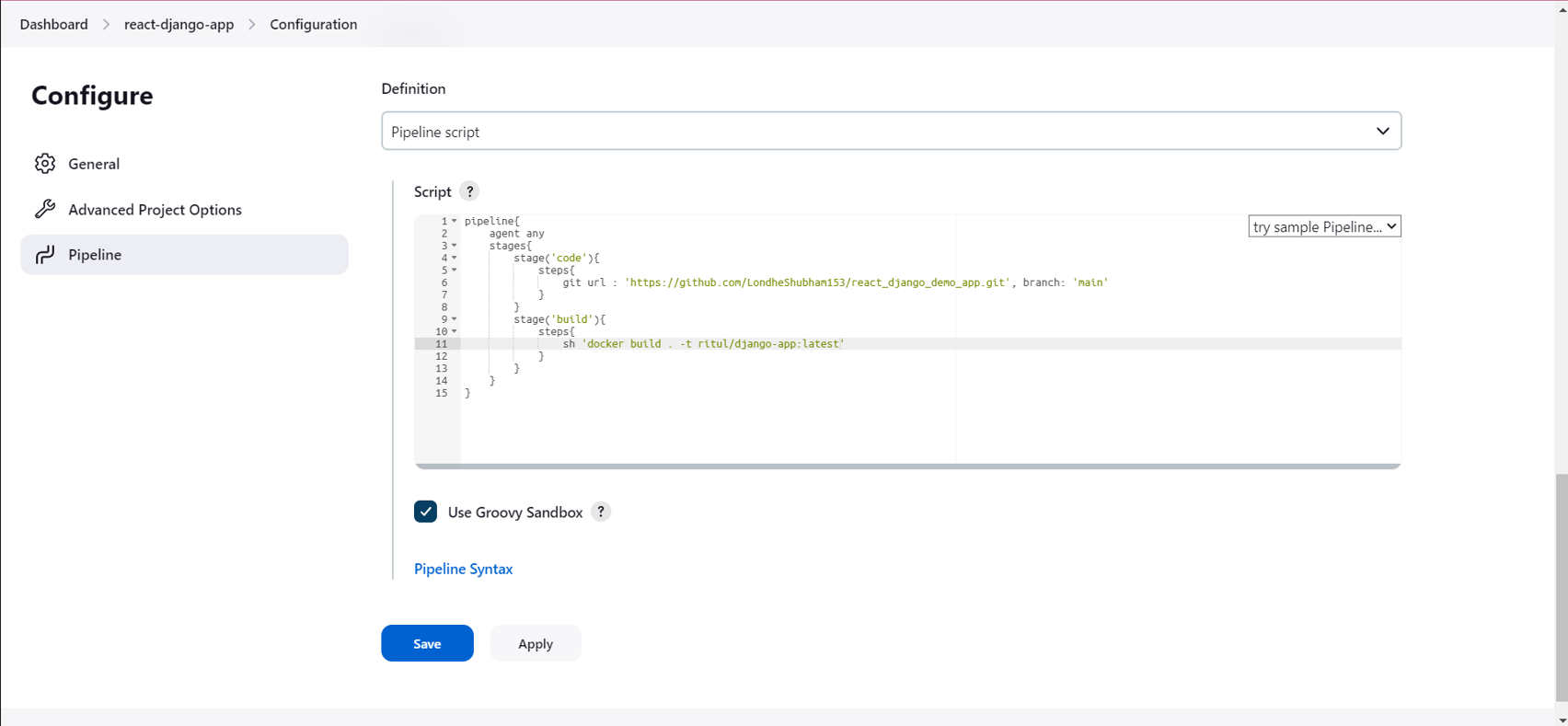
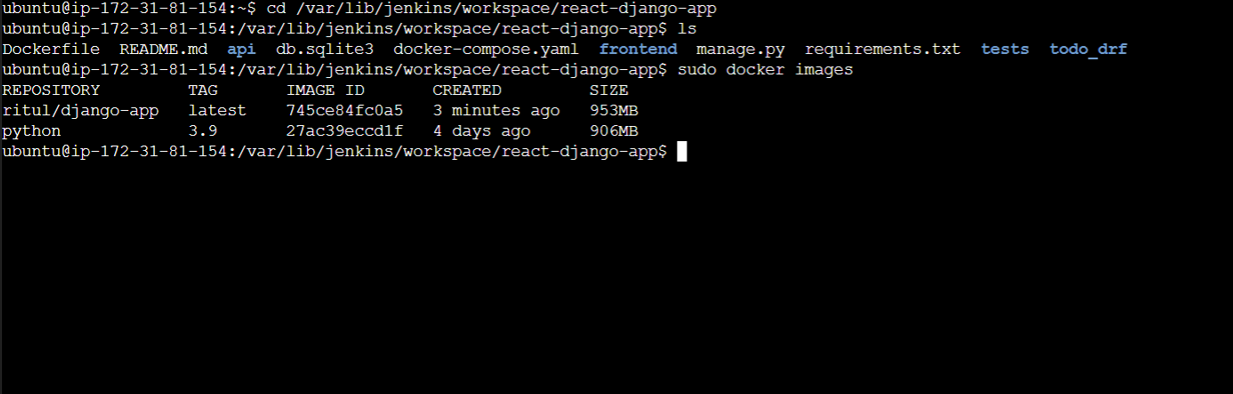
docker build - you can use sh 'docker build . -t <tag>' in your pipeline stage block to run the docker build command. (Make sure you have docker installed with correct permissions.
docker run: you can use sh 'docker run -d <image>' in your pipeline stage block to build the container.
How will the stages look
Task-01
Create a docker-integrated Jenkins declarative pipeline
Use the above-given syntax using
shinside the stage blockYou will face errors in case of running a job twice, as the docker container will be already created, so for that do task 2
Task-02
Create a docker-integrated Jenkins declarative pipeline using the
dockergroovy syntax inside the stage block.You won't face errors, you can Follow this documentation
Complete your previous projects using this Declarative pipeline approach
Step-1

Step-2
Step-3

Step-4

Step-5

Step-6
Thank you!! 😀


